
Beginner's guide
How to start playing Silkroad
Everything you need for your first evening on the Silk Road: where to launch the game, which hero to build, where to go after the tutorial and how to keep your account safe. Nothing to download.
Five minutes to your first fight
- Open the gameIn the browser or in Telegram — no install.
- Get an accountThe “Sign up” button in the game, or “Start” in Telegram.
- Build your heroChina, a look and a weapon — the weapon sets your fighting style.
- Do the tutorialA couple of minutes: walking, the camera, your first fight.
- Take a questFrom a Jangan local with a yellow “!” above their head.
-
Where to start
SroAsia is classic Silkroad Online that runs in a browser tab, inside Telegram or in the Windows launcher window. One account works everywhere and your heroes live on the server: play on the computer in the evening and carry on from your phone in the morning.
Browser
Computer, laptop, tablet or phone. Recent Chrome, Edge, Yandex Browser, Opera and Safari with WebGL 2 all work. The first load takes about ten seconds; after that assets stream in as you play.
Telegram
Press “Start” in the @SilkRoadOnlineGame chat — the account is created automatically and the game opens with no login or password. Works on Android, iOS, Telegram Desktop and Telegram Web.
Phone
Through the browser or Telegram. Hold the phone in landscape and touch controls switch on. The “Install” button on the home page puts the game on your home screen as its own icon.
Windows launcher
The same game in its own window: it does not fall asleep in the background and goes fullscreen with F11. Needs Windows 10 or 11, 64-bit.
Account
- In the game. The login screen has a “Sign up” button. Open the game
- In Telegram. Press “Start” in the game chat and the account is ready. Later, the /password command gives you a password for logging in from the browser. @SilkRoadOnlineGame
Login: Latin letters, digits and symbols without spaces, up to 25 characters; password: at least 8 characters. Each account has two hero slots.
-
Building your hero
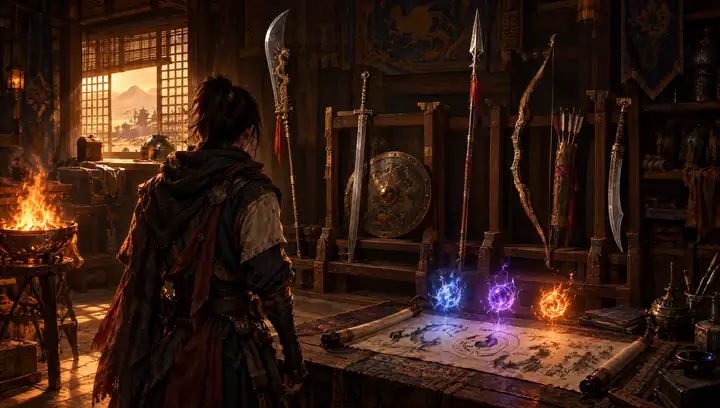
China is open on the server right now; the European classes are on the way. Pick the look, height and armour you like, but choose the weapon with care: Silkroad has no classes — your weapon, your Chi forces and where your stat points go do that job.
Sword or blade + shield
The Bicheon school. The most forgiving start: the shield and block chance smooth over mistakes. In a party this is the tank who holds the unique.
Spear or glaive
The Heuksal school, two-handed. Wide swings that hit several targets — the fastest way to clear packs of monsters.
Bow
The Pacheon school. Ranged combat up to 18 metres. You need arrows — the first 500 come in the starter kit.
The other half of a build is the Chi forces: Cold, Lightning, Fire and Force (called “Chi” in the skill window). They give elemental attacks, buffs, healing and resurrection. Masteries are raised with skill points (SP); the skill window is the K key.
STR, INT or hybrid
Every level gives +1 STR and +1 INT on its own, plus 3 points you spend yourself.
Points into What you get For whom STR HP, physical attack and defence blade, glaive, bow; you fight with weapon skills INT MP, magic attack and defence sword, spear; you fight with Chi forces, but the hero is easier to kill Hybrid not the maximum of either, but no weak spot healers and anyone who has not decided yet -
Your first hour

Tutorial and first quest
- Your journey starts in Jangan. A short tutorial covers walking, the camera and your first fight. You can skip it and replay it later.
- Your quest waits with a local who has a yellow “!” above their head. The “Auto-path” button walks you there and starts the conversation.
- The quest goal shows in the tracker on the right, and a gold marker shows the way. The quest log is the J key.
- Out of quests? The “What next?” window suggests where to hunt monsters of your level.
What's already in your bag
- 10,000 gold
- 100 small HP and 100 small MP potions
- 20 beginner return scrolls
- 20 small universal pills
- 10 speed scrolls
- 60% and 100% “EXP helpers”
Archers also get 500 arrows. EXP helper time only runs while you fight, but the daily allowance is limited — switch it on when you have a couple of free hours.
Who you need in Jangan
Herbalist Yangyun HP and MP potions Blacksmith Chulsan weapons and repairs Armour trader Madam Jang armour Shopkeeper Jinjin accessories Storekeeper Wangu storage for everything you don't want to sell Stable keeper Machun horses and trade transport Where to hunt up to level 20
Level Where What 1–7 Steppe, Lake Forest, Mount Ye Hill, the Marshes Mangyangs, ghosts, weasels 8–13 Chinese Tomb, King Shi's Tomb, Yeoha Forest stone ghosts, Yeohas, young tigers 11–18 South and North Tiger Mountain, Bijeok's Lair bandits, tigers 19–20 Jangan Ferry Chakji workers If a spot is empty, someone is already hunting there — walk a little further. The “Where to hunt?” button in the Groups window (on a phone, in the Menu) lists nearby spots with monsters of your level and takes you there by auto-path.
-
Controls
Computer
- WASD
- walk (or arrow keys)
- Mouse
- walk to a point, attack, talk to locals
- QE
- turn the camera
- 1–0
- skill and item bar
- I
- inventory
- C
- character
- K
- skills
- J
- quests
- M
- world map
- Z
- Assistant
- T
- auto-potions
- Y
- alchemy
- U
- community and guild
- G
- pick up loot
- N
- sit and rest
- Enter
- chat
- H
- in-game guide
- Esc
- menu: settings, “Stuck?”
Phone
- The joystick on the left moves you. Swipe across the world to turn the camera, pinch to zoom.
- Tap a monster or a local to target it; hold your finger on a monster to attack straight away.
- The attack button on the right hits the nearest target; the skill and potion slots sit around it.
- Menu holds your character, inventory, skills, quests, map, “Where to hunt?” and the shop. Everything else is under “All features”.
Used to the classic layout? You can bring back the original client keys (windows on S, A, Q, E) in the control settings by turning off WASD movement.
-
The Assistant
The Assistant is a window that takes over the routine: potions, skills, hunting, finding a party and enhancing gear. It works once you are in the world, and the server checks every action it takes by the same rules as manual play.
How to open it: Z on a computer; on a phone — Menu → All features → Character → Assistant.
Auto-potions
Drinks HP and MP potions when health or mana drop below the threshold you set. It can also cure bad statuses with universal pills.
Auto-skills
Pick the attacks and buffs used while auto-hunting. Auto-levelling spends SP on masteries and skills for you, in the order set with the “Auto” button in the skill window.
Auto-hunt
Finds monsters within the radius and level range you choose, picks up the loot you want, goes to town to buy, sell and repair, and can complete available quests. It stops when your bag is full or you run out of HP potions.
Auto-party
Looks for a party in your level bracket when you are alone and accepts invites from friends and your guild. It works through “Find a party”; the server does the matching.
Auto-alchemy
Enhances the item you choose up to the +N you want: set the elixir, lucky powder, a stop level after a failure and an attempt limit. Before it starts it asks for confirmation and shows the fee per attempt.
-
Levelling 1–100

Experience and skill points are ×5 on the server; the level cap is 100. The best experience comes from monsters of your level and up to 3 levels above. At 7 levels above, experience collapses — go there only in a party.
- 1–20 Jangan and its surroundings
- 20–40 Donwhang and the Tarim Basin
- 40–60 Hotan and the Karakoram passes
- 60–80 the Taklamakan Desert
- 80–100 Roc Mountain
- Every tenth level a parcel arrives: gold, potions, pills, scrolls and, at most milestones, a weapon of a new degree.
- The weapon in the parcel matches the type in your hand. Switching from glaive to blade? Change before the milestone.
- A mastery can't be higher than your character level, and a Chinese hero's masteries add up to 330 at most.
- Level 20 unlocks jobs and PvP, and you can found a guild.
-
Gold and Silk
Gold drops from monsters and goes on gear, repairs, teleports and alchemy. NPC gear costs about three times the original, and traders pay half as much for loot — so gold piles up slowly, and that's by design.
Silk for playing
Silk is the Item Mall currency. You earn it for time in the game: 1 Silk for every hour of active play, up to 10 a day — plus events and rewards.
Daily rewards
The Rewards window: a 7-day calendar and daily tasks — defeat 30 monsters, talk to an NPC, make a deal with a trader. Three tasks earn a chest.
Item Mall
The Shop button in the game. There is a “Newbies” section for heroes up to level 30, plus items for gold: return scrolls, potion bags and more.
Alchemy (the Y key) strengthens gear: enhancement with elixirs and attribute stones. Every attempt costs gold; the odds are the same as in the original.
-
Parties and guilds
Parties from level 5
In a party experience grows with every member, and uniques like Tiger Girl outside Jangan are best left alone when you're solo. The Groups button in the game offers:
- “My level” — the Peers chat, seen by every player in your level bracket.
- “Find a party” — the server matches you with players of your level nearby, with shared experience.
- “Where to hunt?” — nearby spots with monsters of your level and a “Go” button.
Guilds
You can found a guild from level 20 at the guild NPC in town, or apply to join any guild. Guilds go to war with each other and take fortresses in sieges. Note: after leaving a guild you can't join another one for three days.
Jobs and PvP
From level 20 you can become a trader, a hunter or a thief, and from the same level players can attack each other. Don't attack for no reason: a player killer pays three times the usual death penalty.
Jobs: trader, hunter, thief (in Russian) Siege and event schedule See the rankings
-
Staying safe
- Only you know your password. The team never asks for it in messages, in-game chat or Telegram.
- There is one official Telegram. It's @SilkRoadOnlineGame. Enter the game through links on this site or in that chat.
- A Telegram password is shown once. The /password command creates it, and the message deletes itself after 10 minutes — save the password right away.
- One session. An account can be in the game in one place only: logging in from another device closes the old session. Got kicked while you weren't logging in anywhere? Contact support.
- Don't buy gold, Silk or accounts from players for money. It's forbidden by the user agreement, and such deals have no protection.
-
FAQ
Do I need to download anything?
No. The game runs in the browser and in Telegram. The Windows launcher is optional, for people who play for long stretches.
Does the game cost money?
No, you can play for free. Gear, gold and Silk are earned in the game: for time played, events and daily rewards.
Can I switch between phone and computer?
Yes. Your account and heroes are stored on the server, so you can continue on any device — just not on two at once.
Which weapon should I start with?
If you're unsure, a sword or blade with a shield: they forgive mistakes. For fast solo levelling, take a glaive or spear with Fire or Lightning.
I picked the wrong mastery. Is it permanent?
No. An NPC can lower a mastery or skill for gold and special potions, and you get 80% of the SP back.
My hero is stuck and can't get out. What now?
Open the menu (Esc; on a phone, “System”) and choose “Stuck? Return to town”. Your hero lands in the nearest town of their race. Works outside combat and no more than once every 10 minutes.
I don't know what to do next.
Check the “What next?” window, the in-game guide (H key) or the Tips panel. Still stuck? Message us on Telegram.